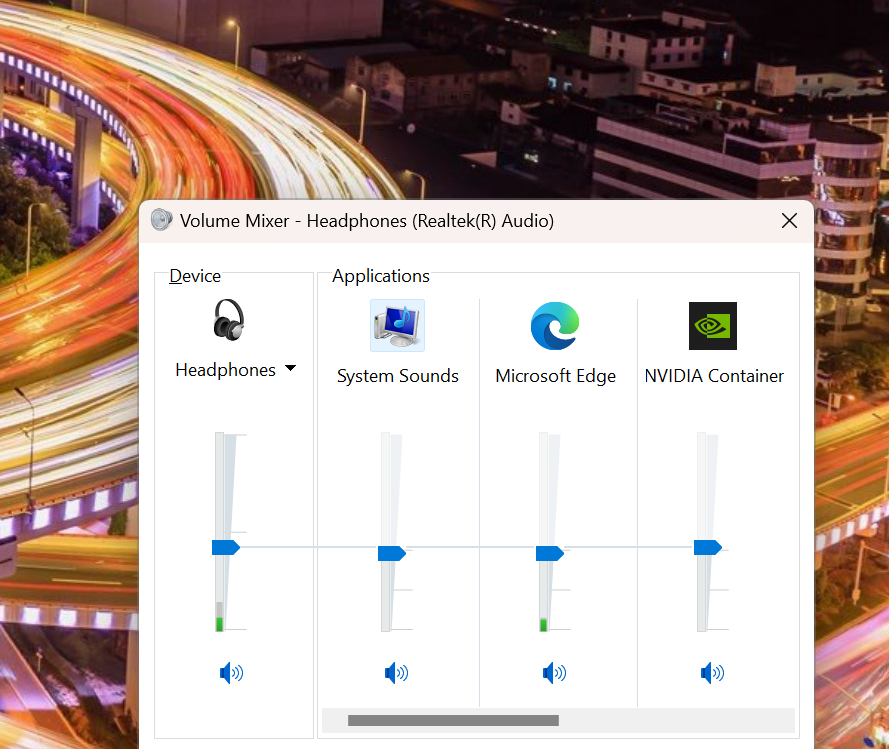
Alot of people love the classic windows volume mixer cause like it just works and not to mention looks amazing!!
however sadly windows 11 decided to replace it with thier weird half implemtnted versoin :/
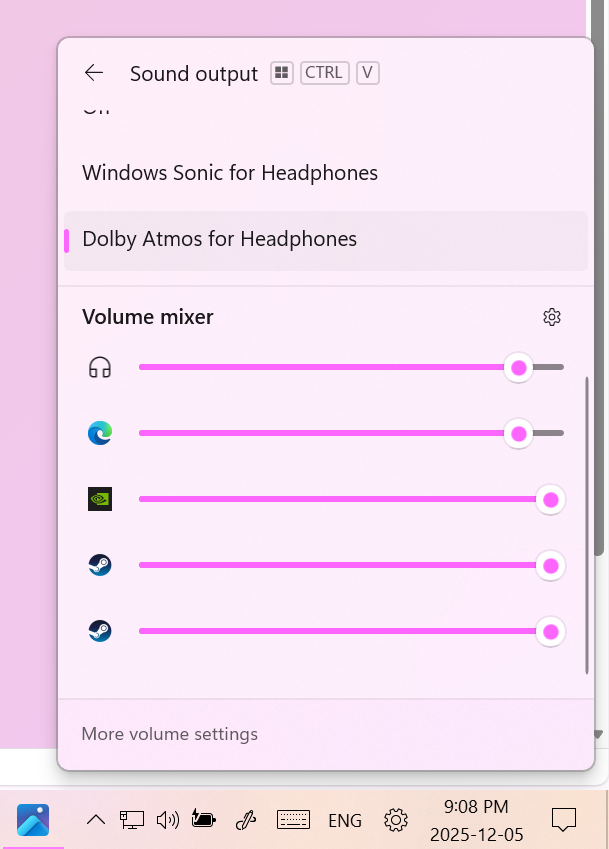
It takes wayyy too many clicks to get to and just looks worse tbh
But luckiley thanks to explorer patcher we can fix it!!
Explorer patcher is a software that brings back the windows 10 task bar and alot of its features to windows 11!
But why not just downgrade or should i say update to windows 10 LTSC enterprise? some may ask.
that’s definitely a better option in my opinion at least that way you get the real windows 10 experience but some people just cant because they have data they cant risk losing on windows 11
Ok now lets get to setting it up
Warning were about to mess with explorer.exe while i use this on my pc and the app is 100% open source I cant guarantee its stability especially with windows updates if you don’t know what you’re doing and don’t have a basic understanding of windows troubleshooting if something goes wrong prob best to not continue
To install explorer patcher visit
Releases · valinet/ExplorerPatcher
Then download and run ep_setup.exe
or ep_setup_arm64.exe if youre on an arm chip (Snapdragon X and Ampere chances are you’re not)
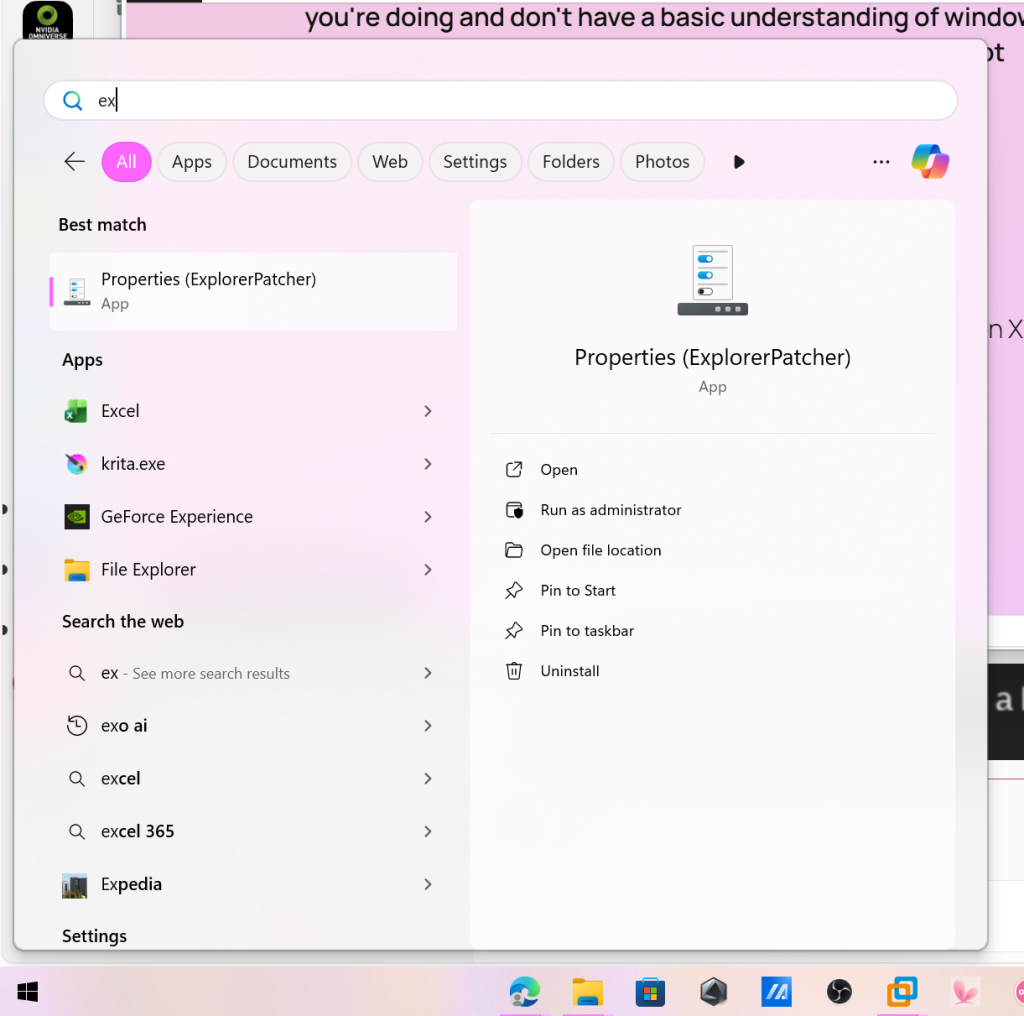
next open up the properties app to configure it
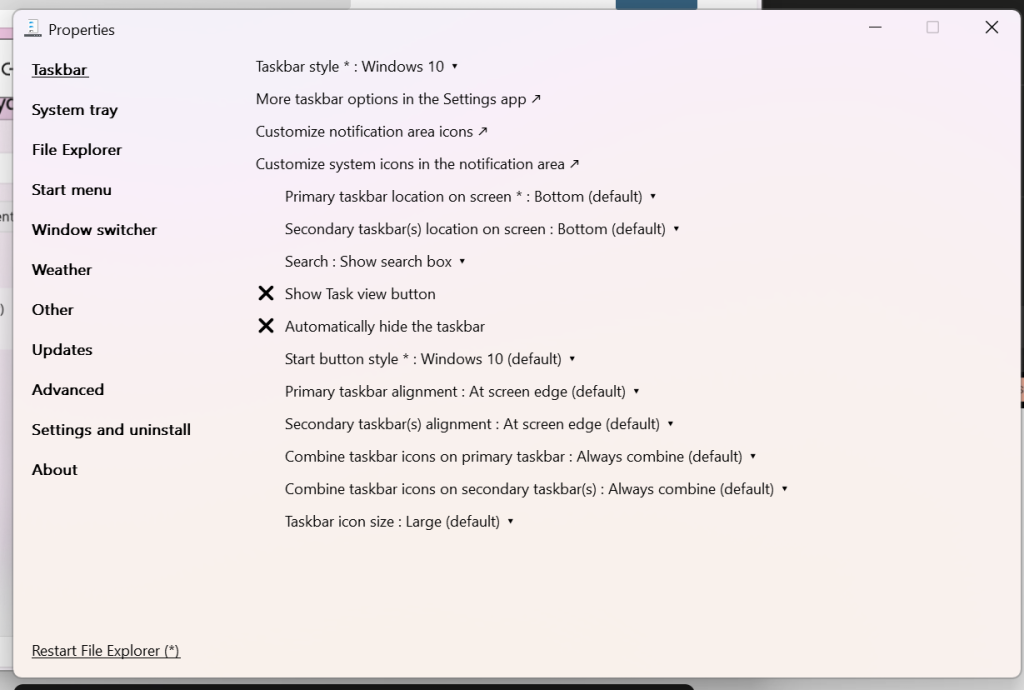
Here you can configure various settings
Click taskbar style to toggle to windows 10 you can also go back to windows 11 if you would like
And thats it just click restart
now just rightclick on the sound icon and click volume mixer and thats it yay Enjoy the windows 10 volume mixer
You can also completely uninstall explorer patcher by clicking uninstall under settings and uninstall if you don’t like it.
Leave a Reply